Playwright Locators: A Strategy That Survives UI Changes
Learn which Playwright locators to use first, from getByRole to test IDs, CSS and XPath, and how to write locators that don't break when the UI changes.
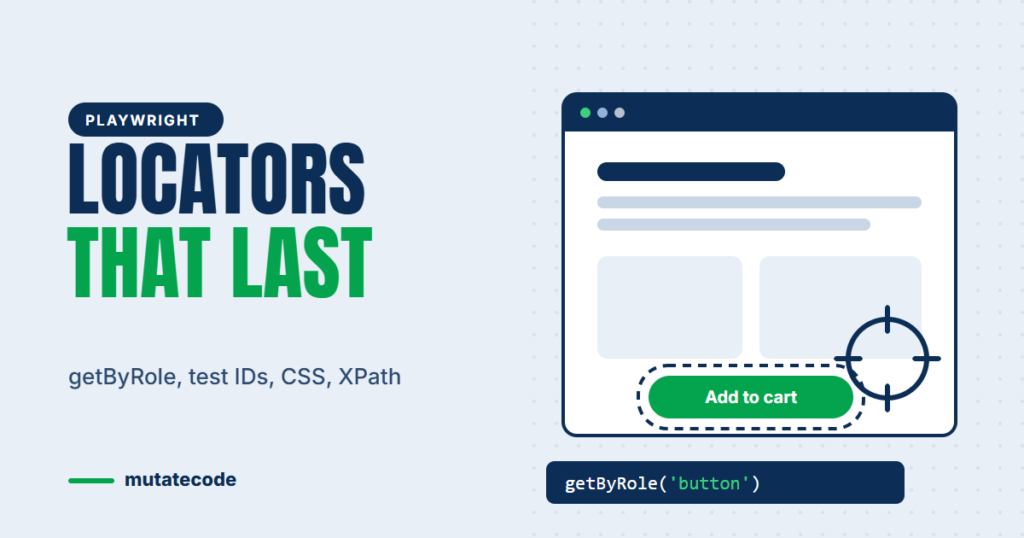
Most broken UI tests are not caused by bugs in the application. They are caused by locators that depended on something that changed: a CSS class name, the position of a div, or a generated ID. Playwright gives you better options, but only if you use them in the right order. This guide gives you a simple locator strategy you can apply to every test, with examples you can copy.
Why locators break
A locator is your test's description of an element. If that description depends on implementation details, any refactor breaks it. Common fragile choices include:
- Generated class names such as
.css-1x2y3zthat change on every build. - Long XPath expressions such as
/html/body/div[2]/div/form/div[3]/buttonthat depend on the exact page structure. - Positions such as "the third button on the page", which change whenever a new button is added.
The fix is to locate elements the way a user finds them: by their role, label and visible text.
The locator priority order
Use the first option that works for the element in front of you:
- User-facing locators:
getByRole,getByLabel,getByPlaceholder,getByText,getByAltText,getByTitle. - Explicit test IDs:
getByTestId, when no user-facing option is stable. - CSS selectors: when you need a structural selector and nothing above fits.
- XPath: only when it is genuinely the only option.
| Locator | Best for | Stability |
|---|---|---|
getByRole | Buttons, links, headings, checkboxes, dialogs | Very high |
getByLabel | Form fields with a label | Very high |
getByPlaceholder | Inputs without a visible label | High |
getByText | Non-interactive text, messages | High (watch out for copy changes) |
getByTestId | Elements with no accessible name | High (needs developer support) |
| CSS selector | Structural cases | Medium |
| XPath | Legacy or unusual markup | Low |
getByRole: your default choice
getByRole finds elements by their accessibility role and accessible name, which is how screen readers see the page. It is resilient to styling changes and encourages accessible markup at the same time.
await page.getByRole('button', { name: 'Add to cart' }).click();
await page.getByRole('link', { name: 'Pricing' }).click();
await expect(page.getByRole('heading', { name: 'Your basket' })).toBeVisible();
await page.getByRole('checkbox', { name: 'I accept the terms' }).check();
The name option matches a substring and ignores case by default. Add exact: true when similar names exist, for example "Save" and "Save as draft".
Forms: getByLabel and getByPlaceholder
Form fields should be found through their labels. If a test cannot find a field by its label, real users with screen readers probably cannot either, which is worth reporting as an accessibility bug.
await page.getByLabel('Email address').fill('qa@example.com');
await page.getByLabel('Password').fill('correct-horse');
await page.getByPlaceholder('Search products').fill('mug');
Test IDs when nothing else is stable
Some elements have no meaningful role or text, such as an icon-only container or a chart. Ask developers to add a dedicated attribute and use getByTestId:
// HTML: <div data-testid="order-summary">...</div>
await expect(page.getByTestId('order-summary')).toContainText('Total');
Playwright looks for data-testid by default. If your team already uses another attribute, set it once in playwright.config.ts:
export default defineConfig({
  use: { testIdAttribute: 'data-qa' },
});
Chaining and filtering instead of long selectors
Real pages repeat the same component many times: product cards, table rows, list items. Instead of counting positions, narrow down step by step:
const product = page.getByRole('listitem').filter({ hasText: 'Blue Ceramic Mug' });
await product.getByRole('button', { name: 'Add to cart' }).click();
This reads like an instruction to a person: "in the list item that mentions Blue Ceramic Mug, click Add to cart". It keeps working when products are reordered or new ones are added. You can also filter by a child element with filter({ has: page.getByRole('img') }).
Strictness protects you
If a locator matches more than one element when you try to click it, Playwright throws a "strict mode violation" instead of guessing. This is a feature: it tells you the locator is ambiguous before it silently clicks the wrong thing. Make the locator more specific rather than reaching for .first() or .nth(), which bring back position-based fragility.
Tools that write good locators for you
- Codegen: run
npx playwright codegen https://your-app.exampleand click through the app. Playwright records actions using the same priority order described above. - Pick locator: in UI mode (
npx playwright test --ui) or the Playwright Inspector, hover over any element to see the locator Playwright recommends.
Treat generated locators as a starting point and review them, especially any that fall back to CSS or text that may change.
Key takeaways
- Locate elements the way users do: by role, label and text.
- Use
getByTestIdwhen no user-facing option is stable, and agree the attribute with your developers. - Prefer chaining and
filter()over positions such asnth(). - Treat strict mode violations as a signal to make locators more specific.
- Use XPath only when there is genuinely no alternative.
Frequently asked questions
Which Playwright locator should I use first?
Start with getByRole. It matches how users and assistive technology see the page, so it survives styling and layout changes. Use getByLabel for form fields and fall back to test IDs, CSS and finally XPath only when needed.
Is XPath bad in Playwright?
XPath is supported, but long XPath expressions tied to page structure break easily and are hard to read. Use it only when user-facing locators, test IDs and CSS selectors cannot identify the element.
What is a strict mode violation in Playwright?
It is the error Playwright raises when a locator matches several elements and you try to act on it. It prevents your test from clicking the wrong element. Fix it by making the locator more specific, for example with filter() or an exact accessible name.
Should developers add data-testid attributes?
Only where user-facing locators are not enough. Test IDs are stable but invisible to users, so relying on them everywhere means your tests no longer check that the page is usable and accessible.
Locator strategy, debugging with the Inspector and dynamic elements are covered in depth in Chapter 3 of our Playwright Modern Automation Engineer program. You may also like Why Playwright Uses await Everywhere.