Hybrid UI + API Testing in Playwright: Create Data via API, Verify in the UI
Make Playwright end-to-end tests faster and more reliable: create test data through the API, check the result in the UI and clean up with fixtures.
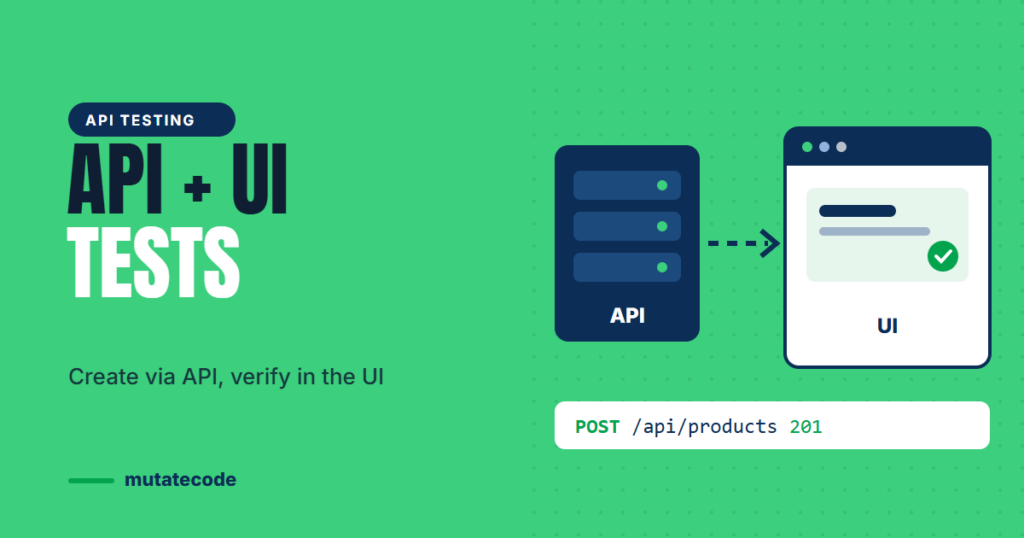
A typical end-to-end test spends most of its time on setup. Before checking that a customer can see their order, it logs in as an admin, fills in a product form, saves it, logs out and logs in again. Every one of those steps is slow and can fail for reasons that have nothing to do with the feature under test. Hybrid testing fixes this: use the API for setup and cleanup, and use the browser only for what you actually want to verify.
Why send setup through the API?
| Setup through the UI | Setup through the API | |
|---|---|---|
| Speed | Seconds per step | Milliseconds per request |
| Reliability | Depends on many pages loading correctly | One request, one clear response |
| Failure messages | "Button not found" on an unrelated page | Status code and response body |
| Focus | Test checks many features at once | Test checks the feature it is named after |
The browser is still essential. It is the only way to confirm that a real user sees the right thing. Hybrid testing simply stops using the browser for work the API can do better.
The pattern: API → UI → API
- Arrange with the API: create the user, product or order the test needs.
- Act and assert in the UI: perform the user journey and check what the user sees.
- Clean up with the API: delete the data so tests stay independent.
A first hybrid test
Playwright Test includes a built-in request fixture, an APIRequestContext that sends HTTP requests without opening a browser. It uses the baseURL from your config, just like page.goto().
import { test, expect } from '@playwright/test';

test('a new product appears in the catalogue', async ({ page, request }) => {
  // Arrange: create the product through the API
  const created = await request.post('/api/products', {
    data: { name: `Test mug ${Date.now()}`, price: 12 },
  });
  await expect(created).toBeOK();
  const product = await created.json();

  // Act + assert: check what a customer sees
  await page.goto('/catalogue');
  await expect(page.getByRole('heading', { name: product.name })).toBeVisible();

  // Clean up
  await request.delete(`/api/products/${product.id}`);
});
toBeOK() checks that the response status is in the 2xx range and prints the response details if it is not, which makes failures much easier to diagnose than a missing element on a later page.
Put setup and cleanup in a fixture
The test above has a weakness: if the assertion fails, the cleanup line never runs. A custom fixture guarantees cleanup and keeps tests short.
import { test as base, expect } from '@playwright/test';

type Product = { id: number; name: string };

export const test = base.extend<{ product: Product }>({
  product: async ({ request }, use) => {
    const res = await request.post('/api/products', {
      data: { name: `Test mug ${Date.now()}`, price: 12 },
    });
    await expect(res).toBeOK();
    const product: Product = await res.json();

    await use(product);                                   // the test runs here

    await request.delete(`/api/products/${product.id}`);  // always runs afterwards
  },
});

test('a new product appears in the catalogue', async ({ page, product }) => {
  await page.goto('/catalogue');
  await expect(page.getByRole('heading', { name: product.name })).toBeVisible();
});
Any test that asks for product now gets fresh data and automatic cleanup, even when it fails.
Verify UI actions through the API
The pattern also works in reverse. After a user changes something in the browser, confirm that the change was really saved, not just displayed:
await page.getByLabel('Display name').fill('Priya');
await page.getByRole('button', { name: 'Save profile' }).click();
await expect(page.getByText('Profile updated')).toBeVisible();

const profile = await page.request.get('/api/me');
expect((await profile.json()).displayName).toBe('Priya');
page.request shares cookies with the browser context, so the API call is made as the same logged-in user.
Make it safe for parallel runs
Playwright runs tests in parallel by default, so hybrid tests must never fight over the same data:
- Generate unique values (a timestamp, a random suffix or
testInfo.workerIndex) for names and emails. - Never depend on records created by another test.
- Delete what you create, ideally in a fixture.
When not to use the API
Keep at least one test that walks through the real journey entirely in the UI, for example sign-up or checkout. That test proves the screens connect correctly. Hybrid tests then cover the many variations quickly without repeating that journey every time.
Key takeaways
- Use the API for setup and cleanup, and the browser for what the user sees.
- Playwright's
requestfixture andtoBeOK()make API steps short and readable. - Fixtures guarantee cleanup even when a test fails.
page.requestlets you verify UI changes as the logged-in user.- Unique test data keeps hybrid tests safe in parallel.
Frequently asked questions
Can Playwright do API testing?
Yes. Playwright includes APIRequestContext, available as the request fixture, for sending GET, POST, PUT, PATCH and DELETE requests and asserting on responses. You can use it for pure API tests or combine it with browser tests.
What is a hybrid test in test automation?
A hybrid test combines API calls and UI steps in one test. Typically the API prepares and removes test data, while the UI checks the behaviour a real user experiences.
Do hybrid tests replace end-to-end tests?
No. Keep a small number of full UI journeys to prove the screens work together, and use hybrid tests for the many variations of each feature.
API testing, hybrid workflows and fixtures are covered in Chapter 5 of our Playwright Modern Automation Engineer program. Next, read how to stop hiding flaky tests behind retries.