Why Playwright Uses await Everywhere (and What Breaks Without It)
Why every Playwright action needs await, what really breaks when you forget it, which calls don't need it, and how to catch missing awaits automatically.
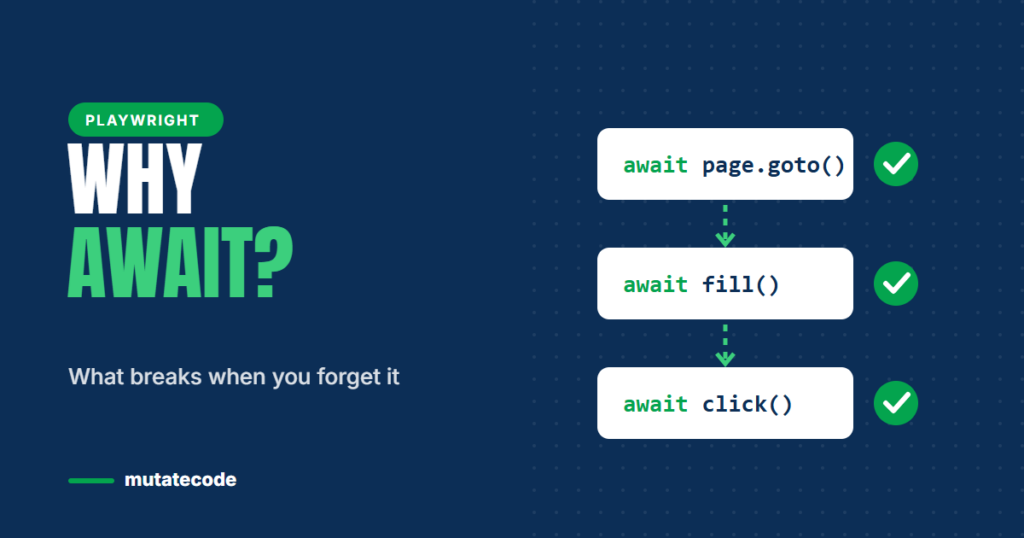
If you open any Playwright test, you will see await on almost every line. Many testers learn to type it out of habit without knowing why it is there. That works until a test passes when it should fail, or fails only on the CI server. This guide explains what await does in Playwright, what breaks when you forget it, and how to stop missing awaits from ever reaching your main branch.
The short answer
A browser is a separate program. When your test asks it to open a page or click a button, the answer does not come back instantly. Playwright therefore returns a Promise for almost every browser action: an object that says "this will be finished later". The await keyword pauses your test function until that Promise is finished, so each step runs only after the previous one is complete.
import { test, expect } from '@playwright/test';

test('user can sign in', async ({ page }) => {
  await page.goto('/login');                                  // wait until the page has loaded
  await page.getByLabel('Email').fill('qa@example.com');      // wait until the text is typed
  await page.getByLabel('Password').fill('secret');
  await page.getByRole('button', { name: 'Sign in' }).click(); // wait until the click is done
  await expect(page).toHaveURL(/dashboard/);                   // wait until the URL matches
});
The test function is marked async because only async functions are allowed to use await.
What happens when you forget await
Forgetting a single await does not always produce an error. That is exactly why it is dangerous. These are the three most common outcomes.
1. The next step starts too early
page.getByRole('button', { name: 'Save' }).click();   // missing await
await expect(page.getByText('Saved')).toBeVisible();
The click is started but not finished before the assertion begins. On a fast laptop the test may pass. On a slower CI machine it may fail. This is one of the most common sources of "it works on my machine" flakiness.
2. The test ends before the browser is finished
If the last action in a test is not awaited, the test function can return while the action is still running. Playwright then closes the page and you see errors such as Target page, context or browser has been closed, often pointing at a line that looks perfectly fine.
3. An assertion that never fails
expect(page.getByText('Order confirmed')).toBeVisible(); // missing awaitWeb-first assertions such as toBeVisible() retry until they pass or time out, so they return a Promise. Without await, the test can finish before the check completes, which means a broken feature may still produce a green test. A test that passes when it should fail is worse than having no test at all.
Which Playwright calls need await (and which don't)
Not everything in Playwright is asynchronous. Knowing the difference makes your code cleaner and easier to review.
| Code | Needs await? | Why |
|---|---|---|
page.goto(), click(), fill(), check() | Yes | They talk to the browser |
expect(locator).toBeVisible(), toHaveText(), toHaveURL() | Yes | Web-first assertions retry until they pass or time out |
page.waitForResponse(), request.get() | Yes | They wait for network activity |
page.getByRole(), page.locator(), .filter() | No | Creating a locator only describes an element; nothing is sent to the browser yet |
expect(5).toBe(5), expect(list).toHaveLength(3) | No | Generic assertions check a plain value immediately |
A useful rule: if a line makes the browser or the network do something, or waits for them, it needs await.
Waiting for two things at once
Sometimes you must start waiting for something before you trigger it, for example the API response that a button click produces. Start the wait first, then perform the action, then await the result:
const responsePromise = page.waitForResponse(
  (response) => response.url().includes('/api/orders') && response.status() === 201
);
await page.getByRole('button', { name: 'Place order' }).click();
const response = await responsePromise;
expect((await response.json()).status).toBe('created');
Notice that the first line has no await. That is deliberate: you want the listener running while the click happens. This is the one place where leaving out await is correct, and it is always followed by an await on the saved Promise.
Catch missing awaits automatically
You should not rely on code review alone to find missing awaits. Two linting rules catch them for you:
- @typescript-eslint/no-floating-promises reports any Promise that is created but never awaited or handled. It requires TypeScript type information, which is one more reason to write your Playwright tests in TypeScript.
- playwright/missing-playwright-await from
eslint-plugin-playwrightfocuses specifically on Playwright assertions and actions.
Add one of them to your project and run the linter in your CI pipeline, so a missing await fails the build before it can create a flaky test.
Key takeaways
- Playwright actions return Promises because the browser works independently of your test.
awaitpauses the test until each action or assertion is complete.- A missing
awaitcan cause flaky timing, confusing "page closed" errors or assertions that never fail. - Locator creation and generic assertions are synchronous; actions, web-first assertions and network calls are not.
- Use ESLint rules to catch missing awaits automatically.
Frequently asked questions
Why do Playwright tests use async functions?
Because Playwright actions are asynchronous and the await keyword can only be used inside an async function. Marking the test function async lets every step wait for the previous one to finish.
Does page.getByRole() need await?
No. Creating a locator with getByRole, getByText or locator only describes how to find an element. Playwright looks for the element when you perform an action or an assertion on it, and that action is what you await.
Why does my test pass locally but fail in CI?
A missing await is a common cause. On a fast machine an un-awaited action often finishes in time by luck; on a slower CI runner it does not. Enable a no-floating-promises lint rule and check the Playwright trace of the failing run.
Can I use .then() instead of await in Playwright?
Technically yes, but async/await keeps each step on its own line, produces clearer error messages and is the style used throughout the Playwright documentation and community.
Understanding asynchronous JavaScript is the foundation of reliable automation. It is covered step by step in Phase 03 of our Playwright Modern Automation Engineer program, before you write your first real test.