Flaky Tests in Playwright: How to Find and Fix the Root Cause
Retries turn the dashboard green but hide real problems. A step-by-step method to reproduce, diagnose and permanently fix flaky Playwright tests.
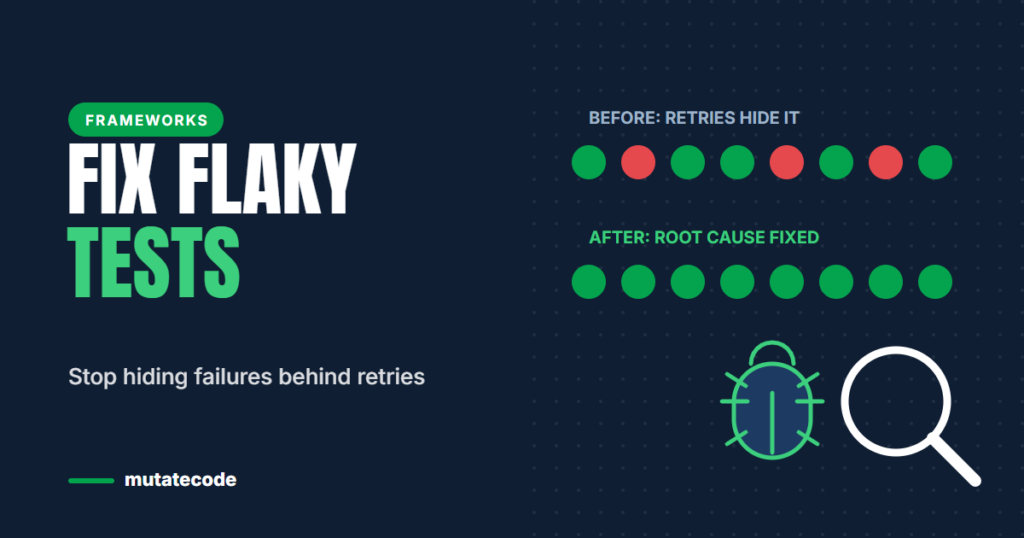
A flaky test passes sometimes and fails sometimes without any change to the code. Turning on retries makes the pipeline green again, which feels like a fix. It is not. Retries hide the failure, slow your suite down and slowly teach the team to ignore red builds. This guide shows a repeatable way to find the real cause of a flaky Playwright test and fix it for good.
Why retries are not a fix
- A test that needs a retry to pass is telling you something is unreliable: the test, the data, the environment or the application itself.
- Every retry adds minutes to your pipeline.
- Real intermittent bugs in the product, such as race conditions, get hidden alongside test problems.
Retries are useful as a safety net and as a detector. Playwright's HTML report marks a test that failed first and passed on retry as flaky, which gives you a list of tests to investigate. Keep retries, but treat every flaky label as a bug to fix.
The most common causes
| Cause | Typical symptom | Usual fix |
|---|---|---|
| Timing | Fails on slow machines or under load | Web-first assertions instead of fixed sleeps |
| Shared state | Passes alone, fails in the full suite | Isolate data and browser state per test |
| Data collisions | Fails only when tests run in parallel | Unique test data per test |
| Test order dependency | Fails when run on its own | Each test creates what it needs |
| Unstable locators | "Element not found" after UI changes | User-facing locators |
| Environment | Fails only in CI or one environment | Check configuration, services and test data there |
Step 1: Reproduce it on demand
You cannot fix what you cannot see. Run the suspect test many times in a row:
npx playwright test tests/checkout.spec.ts --repeat-each=20If it only fails in the full suite, run the whole file or project with more workers (--workers=4) to reproduce parallel conflicts. If it only fails in CI, reproduce with the same browser, workers and environment variables as your pipeline.
Step 2: Record what happened
Turn on traces for retried tests in playwright.config.ts:
export default defineConfig({
  retries: process.env.CI ? 2 : 0,
  use: {
    trace: 'on-first-retry',
    screenshot: 'only-on-failure',
  },
});
Open the trace with npx playwright show-trace path/to/trace.zip, or directly from the HTML report. The Trace Viewer shows every action, a DOM snapshot before and after each step, network requests and console messages. Compare the failing attempt with a passing one: the difference is usually where the problem is.
Step 3: Classify the failure
Before changing code, decide which layer failed. Ask in this order:
- Application: is there a real bug, such as a race condition or a missing loading state?
- Automation: is the test waiting incorrectly or using a fragile locator?
- Data: did the test depend on data that another test changed or deleted?
- Environment: was a service slow, unavailable or configured differently?
- Infrastructure: did the CI machine run out of memory or time?
Writing the category into the bug ticket also shows you trends. If most flaky failures are "data", your suite needs better data isolation, not more retries.
Fixing timing problems properly
The number one cause of flakiness is waiting the wrong way. Fixed sleeps are always either too short (flaky) or too long (slow):
// Flaky and slow
await page.getByRole('button', { name: 'Save' }).click();
await page.waitForTimeout(3000);
expect(await page.getByText('Saved').isVisible()).toBe(true);
Replace them with web-first assertions, which retry automatically until the condition is true or the timeout is reached:
// Reliable
await page.getByRole('button', { name: 'Save' }).click();
await expect(page.getByText('Saved')).toBeVisible();
If the test depends on a backend response, wait for that response explicitly with page.waitForResponse() instead of guessing how long it takes.
Fixing shared state and data collisions
- Let every test create its own data, ideally through the API in a fixture, and give it unique values.
- Do not reuse one user account for tests that change that account.
- Playwright gives each test a fresh browser context by default; avoid patterns that share pages between tests.
- Use
test.describe.configure({ mode: 'serial' })only when steps truly must run in order, and keep such groups small.
A healthy retry policy
- Use retries only in CI, never locally, so developers see failures immediately.
- Review every test reported as flaky, every week.
- If a test cannot be fixed straight away, quarantine it visibly, for example with
test.fixme()or a@quarantinetag excluded from the main run, and link it to a ticket. - Track the number of flaky tests over time. It should go down.
Key takeaways
- Retries hide flakiness; use them to detect flaky tests, then fix the cause.
- Reproduce with
--repeat-eachand study the failure in the Trace Viewer. - Classify each failure: application, automation, data, environment or infrastructure.
- Replace fixed waits with web-first assertions and explicit response waits.
- Give every test its own data and state.
Frequently asked questions
What is a flaky test?
A flaky test is a test that sometimes passes and sometimes fails when nothing in the code has changed. The cause is usually timing, shared state, test data or the environment, but it can also be a real intermittent bug in the application.
How do I find flaky tests in Playwright?
Enable retries in CI. Playwright's HTML report labels tests that failed and then passed on retry as flaky. Reproduce them locally with --repeat-each and inspect the trace of a failing run.
Should I use waitForTimeout in Playwright?
Rarely. Fixed waits make tests slower and still flaky. Use web-first assertions such as toBeVisible() or toHaveText(), or wait for a specific network response instead.
How many retries should a Playwright suite have?
A common choice is two retries in CI and none locally. More retries usually means hiding more problems. Combine retries with a regular review of every test reported as flaky.
Debugging and flaky-test engineering, including our hands-on Failure Lab and Flakiness Lab, make up Chapter 8 of the Playwright Modern Automation Engineer program. Related: A Locator Strategy That Survives UI Changes.